

Look around first
Anyone can openapp.lancetrade.xyz and watch the markets without signing in: prices, charts, order books and recent trades, live from Hyperliquid. You can try the order panel too, but its order button stays locked until you sign in.
Sign in
You need a connected wallet in your community’s bot first.1
Ask your bot for a sign-in button
Tap 🌐 Lance Trade on Home or in 🔐 Wallet and access. You can also send
/start web.2
Open it
The bot sends a new message with Open Lance Trade. The link works once, for 10 minutes.
3
Continue
Lance Trade opens at
app.lancetrade.xyz. Tap Continue to sign in this browser.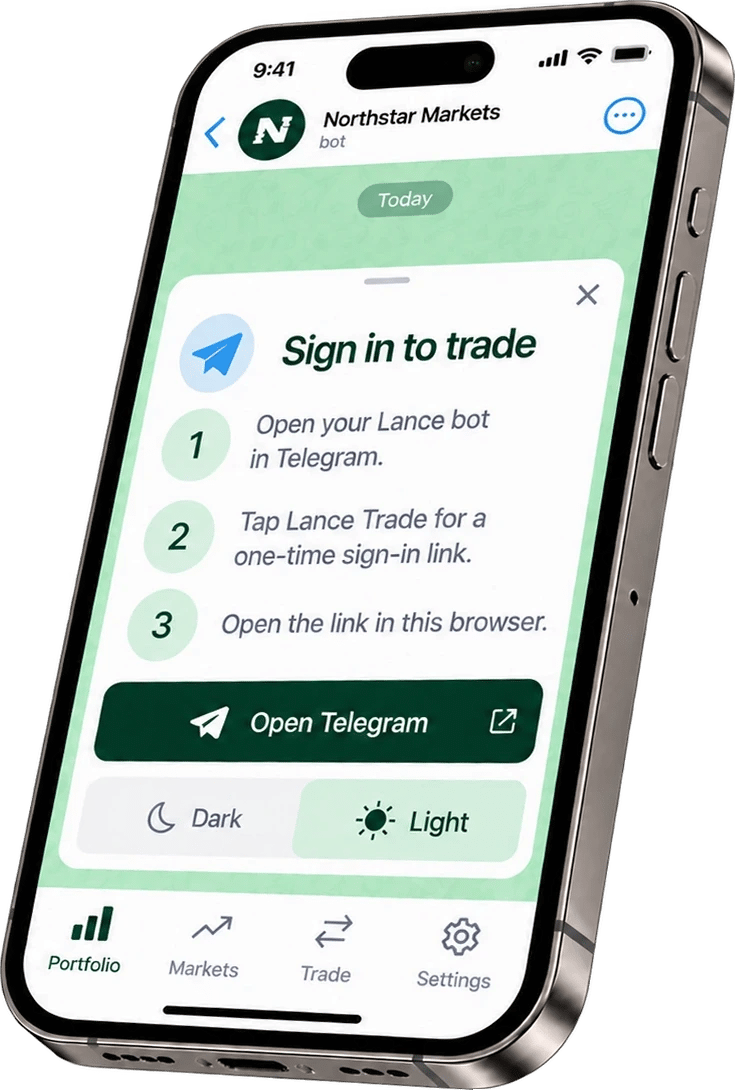
Example screen. Lance Trade shows the steps to sign in from your own community's bot.
If the link has expired
Sign-in links last 10 minutes and work once. Tap 🌐 New link in the bot, or Get a new link in Lance Trade, which opens your bot.Lance Trade never holds your trading key. Your orders go through your community’s bot, with the same rules and checks as in Telegram. See How Lance works.
Risk warning. Trading perpetual futures with leverage is high risk. Prices can move fast and you can lose all the money you put in. Lance is software: it does not give investment advice, manage money or trade on anyone’s behalf. Trades are executed on Hyperliquid, a third-party exchange that is not affiliated with Lance. Lance is not available to persons in the United States, the United Kingdom and sanctioned countries. Nothing on this site is an offer or solicitation where it would be unlawful. Full risk disclosure