

/settings, or tap ⚙️ Settings. Lance Trade uses the same defaults, so a change in one shows in the other.
From Settings you can also open 🔐 Wallet and access: your connected wallet, your trading key, Lance Trade sign-in and your devices. See Wallet and access.
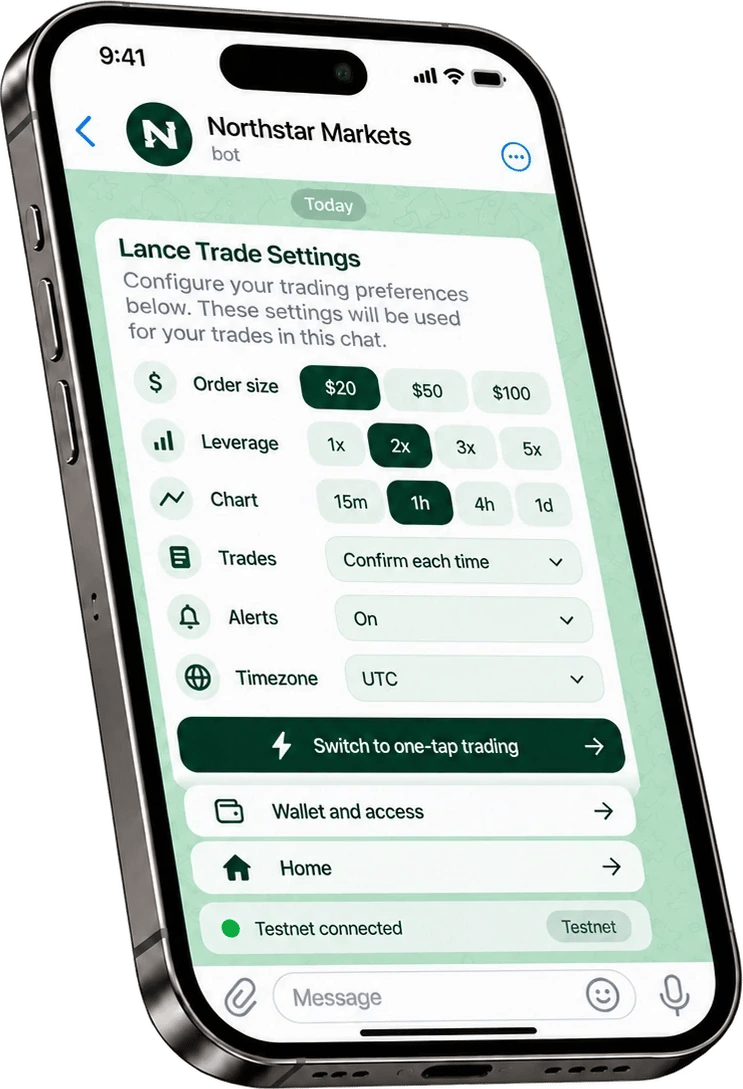
Example screen. Your community's bot shows its own name and may look slightly different.
Risk warning. Trading perpetual futures with leverage is high risk. Prices can move fast and you can lose all the money you put in. Lance is software: it does not give investment advice, manage money or trade on anyone’s behalf. Trades are executed on Hyperliquid, a third-party exchange that is not affiliated with Lance. Lance is not available to persons in the United States, the United Kingdom and sanctioned countries. Nothing on this site is an offer or solicitation where it would be unlawful. Full risk disclosure